How do I buy back a watch on Jewely Retail?
This guide explains step by step how to register a buyback of a precious item (watch) in Jewely Retail.
Buyback is a firm purchase: unlike consignment, you immediately become the owner of the item and must pay the seller. The item is then added to your inventory as a used item.
- Access to Jewely Retail with rights to the Purchasing module
- Information from occasional seller (name, surname, address, identity document)
- THE ID number from the seller (required for a buyback)
- The characteristics of the item to be replaced (family, category, brand, reference, materials)
- THE buyback price excluding VAT agreed with the seller and the margin coefficient wish
Access the Buyback function
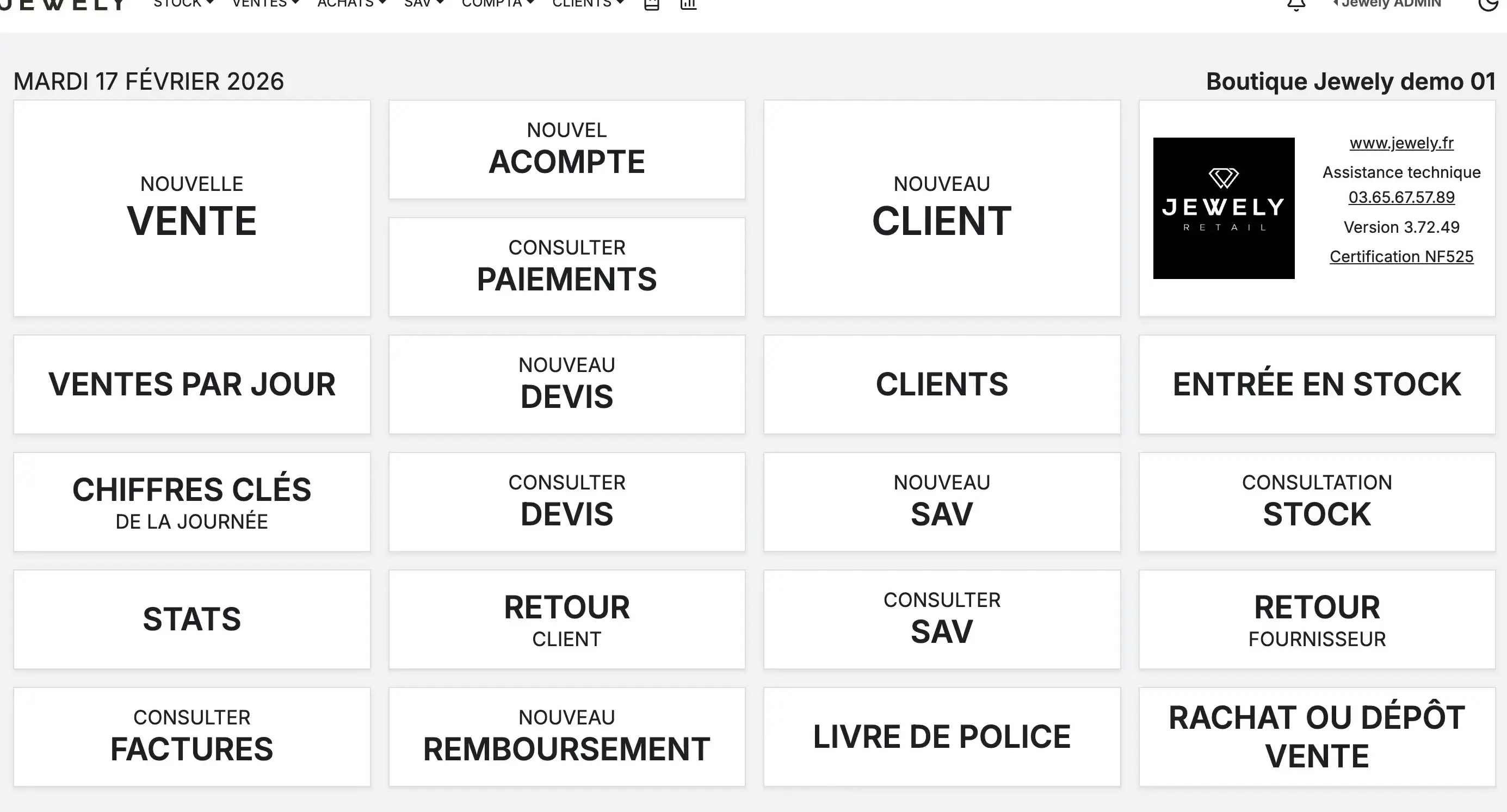
From the Jewely Retail dashboard, you have two options to initiate a buyback:
From the main menu: click on PURCHASES in the navigation bar, then select «"Consignment sale or purchase of valuable items"».
From the dashboard: click directly on the shortcut «"BUYBACK OR CONSIGNMENT SALE"» bottom right of the grid.
Select the "Buyback" type and choose the seller
A modal window opens. In the section «"Transaction type"», click on «" Redemption "» (the button turns purple to indicate that it is selected).
In the section «"Occasional seller"», You have two choices:
«"Seller's selection"» : if the seller is already registered in your database, click on this button and then type the first letters of their name in the search field.
«"New seller"» : if it is a new seller, click on this button to create their profile with their personal information (title, first name, last name, email, phone, address).
Next, click on «" Following "».
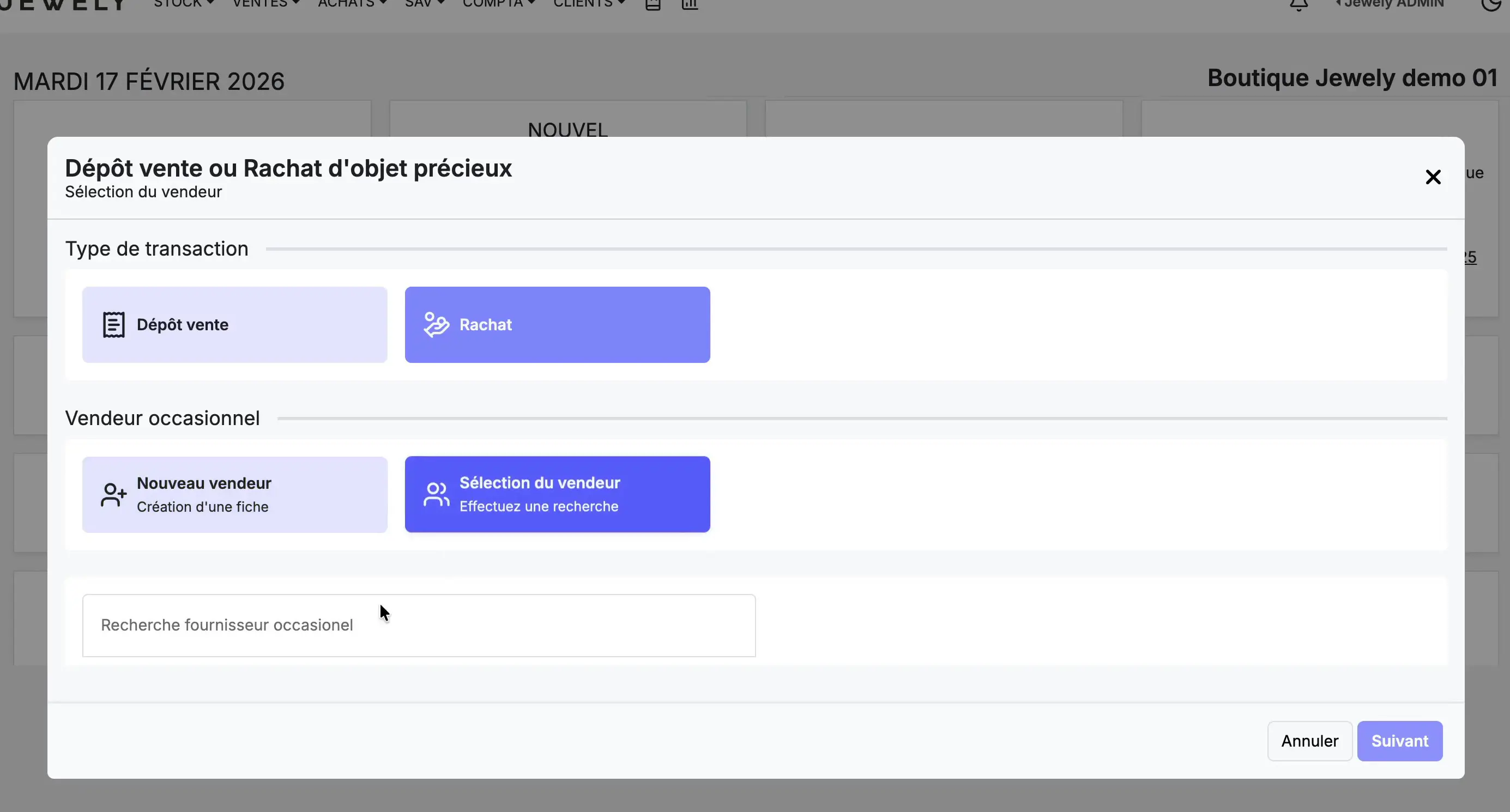
In our example, the seller is Camille MERCIER. The search works by first or last name — type a few letters to see the results.
Provide the seller's identity
For a buyback, Jewely Retail asks you to verify the seller's identity. This step is OBLIGATORY and meets the legal obligations related to the purchase of precious objects.
ID number: Enter the number shown on the seller's ID. In our example: 789456123.
Front and back of the identity document: You can scan or photograph the seller's ID and drag and drop it into the upload area provided for this purpose.
Click on «" Following "» to move on to the next step.
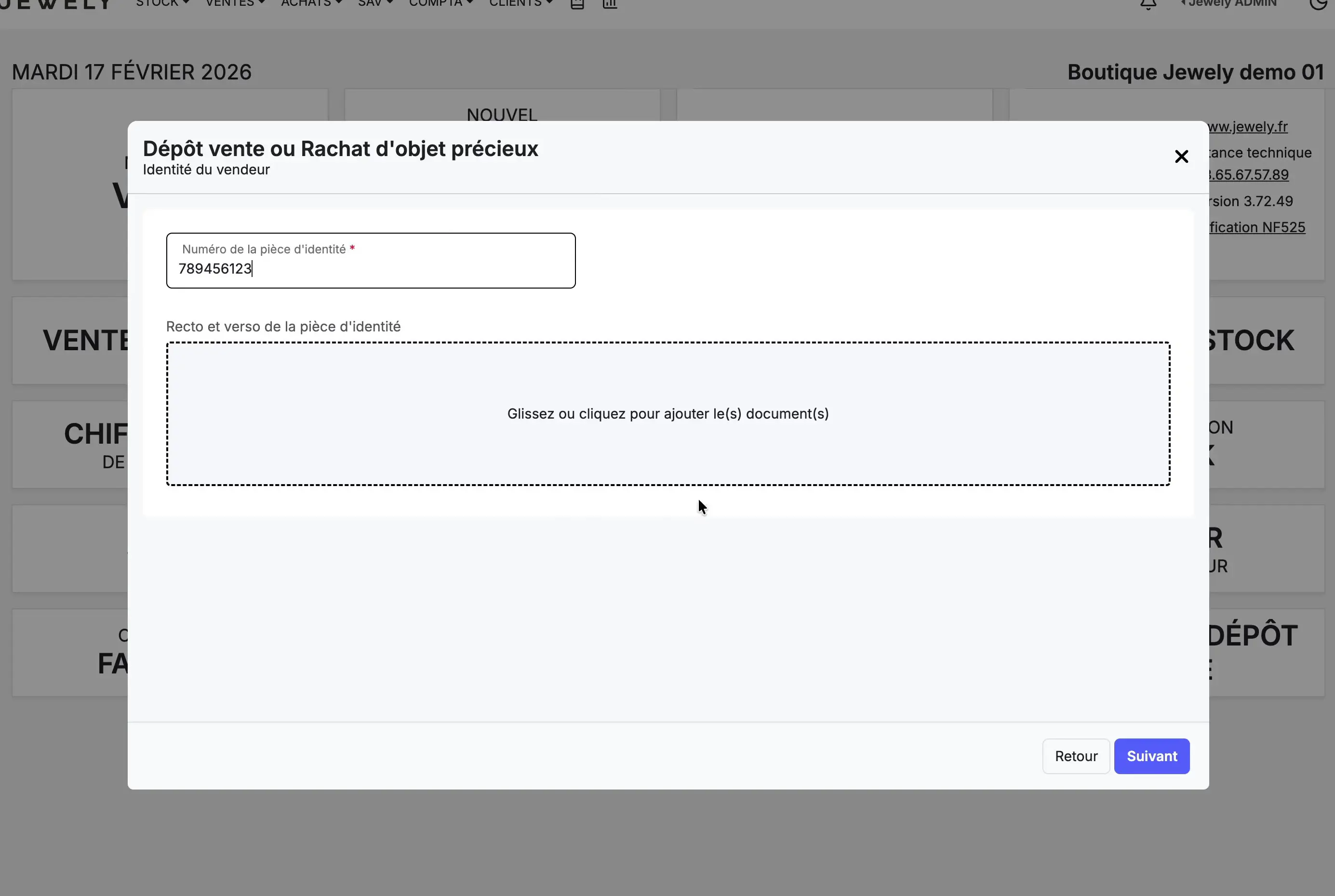
This step is specific to buybacks. It does not occur with a simple consignment sale. Always keep a copy of your ID in Jewely for compliance purposes.
Enter the product information
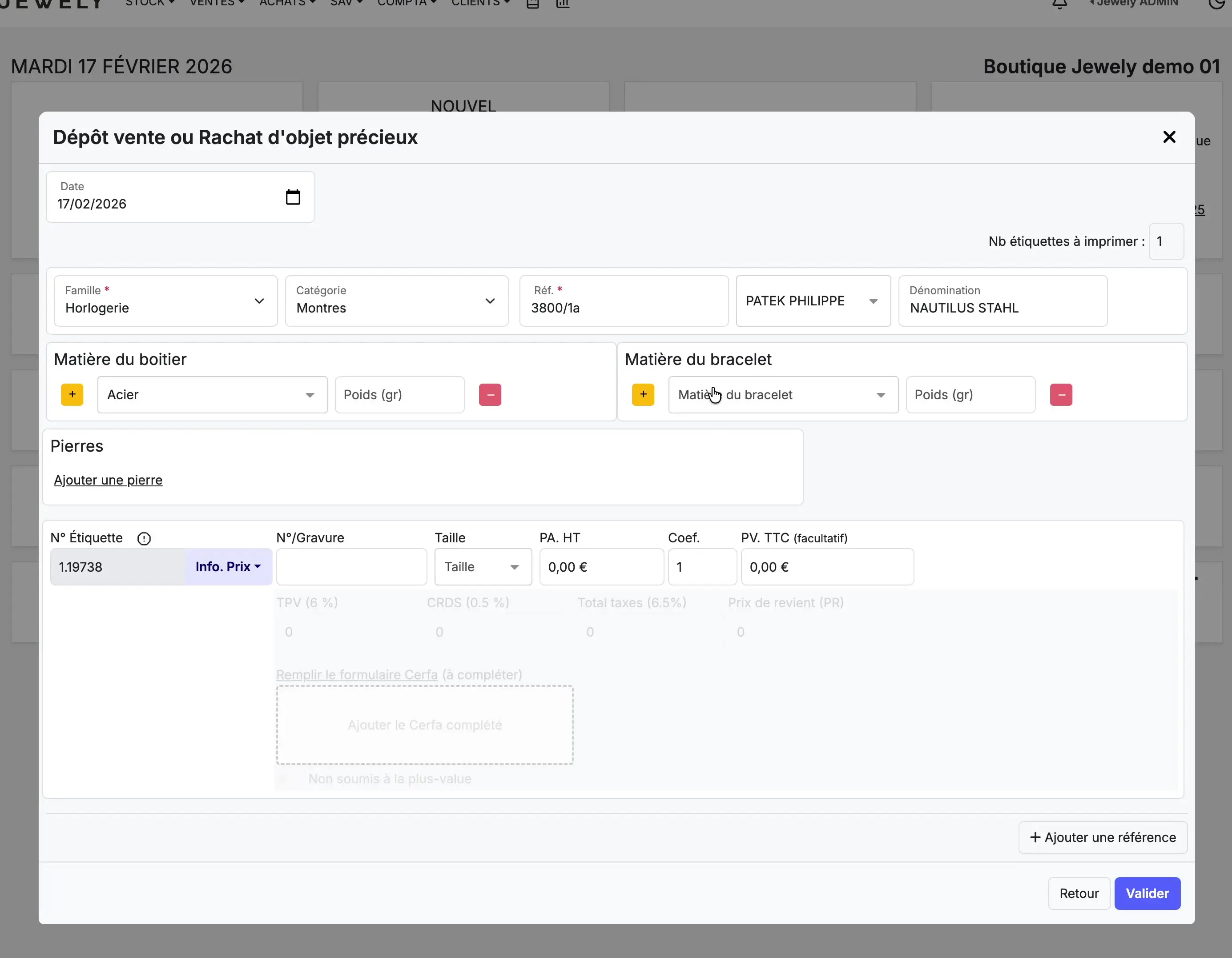
The product entry form will appear. Please enter the following information:
Family : select «"Watchmaking"» in the drop-down menu.
Category : choose «"Watches"».
Reference : Enter the model reference. In our example: 3800/1a.
Brand : select PATEK PHILIPPE.
Name: Please specify the model name: NAUTILUS STAHL.
Case material: Click on "Add a material" and select Steel.
Bracelet material: Similarly, add Steel.
Enter the prices and check the taxes
At the bottom of the form, enter the price of the item:
PA. HT (Purchase Price Excluding Taxes): Enter the buyback price agreed upon with the seller. In our example: 35 000,00 €.
Coefficient: Enter the desired margin coefficient. Here: 1,51. THE Price including VAT is calculated automatically: 53 000,00 €.
Jewely also calculates the taxes applicable to the buyback: POS terminal (6 %) : 2 100,00 €, CRDS (0.5 %) : 175,00 €, Total taxes (6.5 %) €2,275.00, and the Cost price (CP) : 37 275,00 €.
You can also fill in the Cerfa form and join the original purchase invoice if the seller has it. Check «"Not subject to capital gains tax"» if applicable.
Click on «" To validate "» to register the buyback.
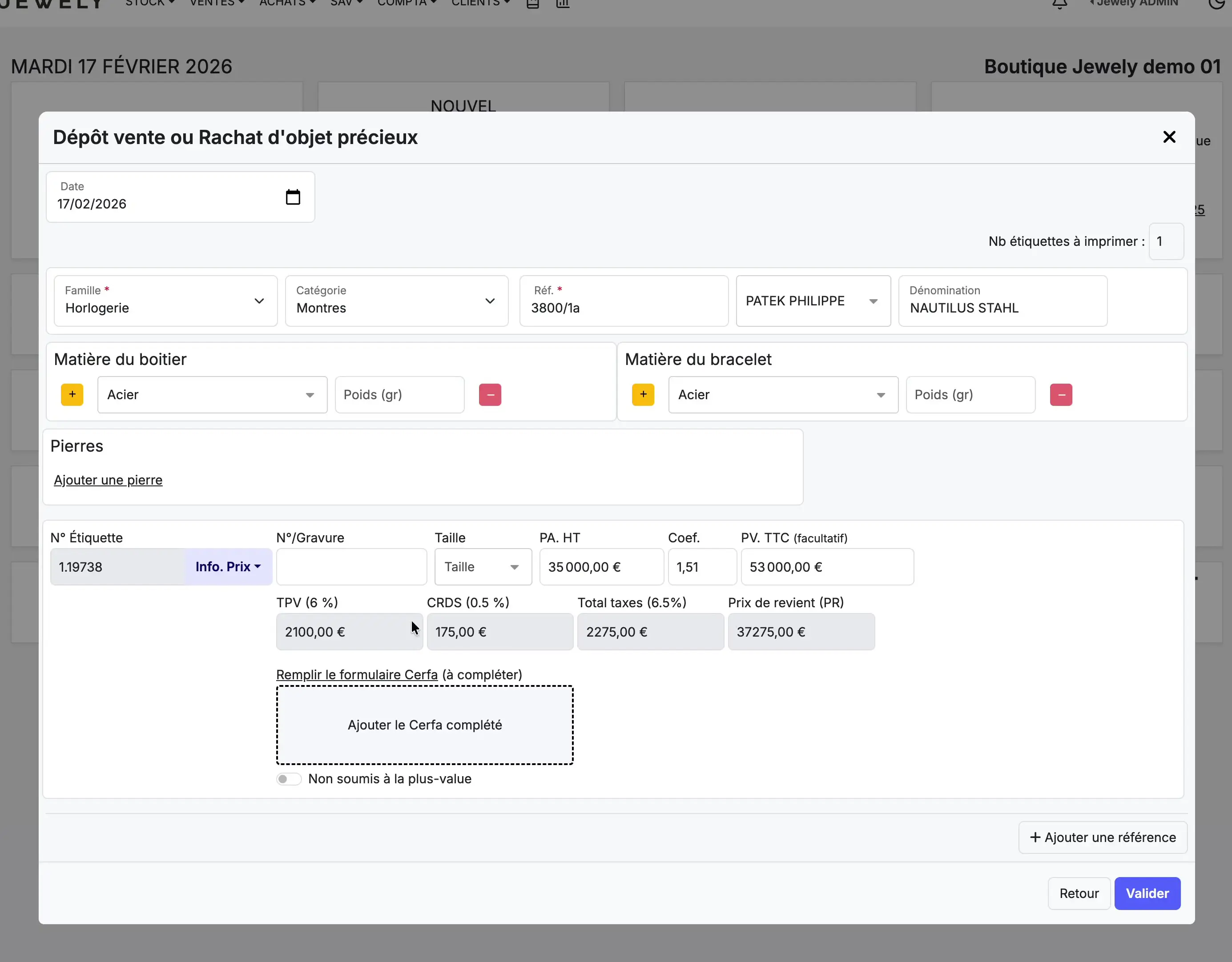
The TPV (Capital Gains Tax) and CRDS taxes are automatically calculated by Jewely based on the purchase price. The cost price includes these taxes and represents the actual cost of the item for your store.
Check the buyback summary
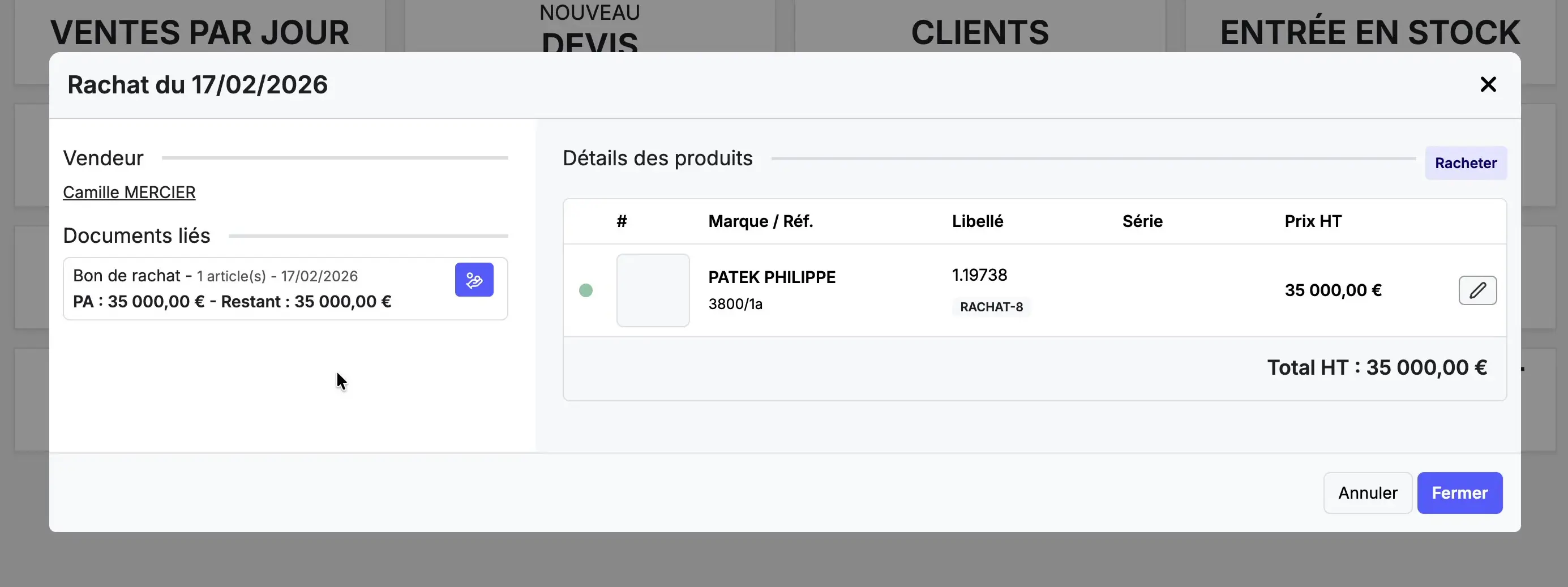
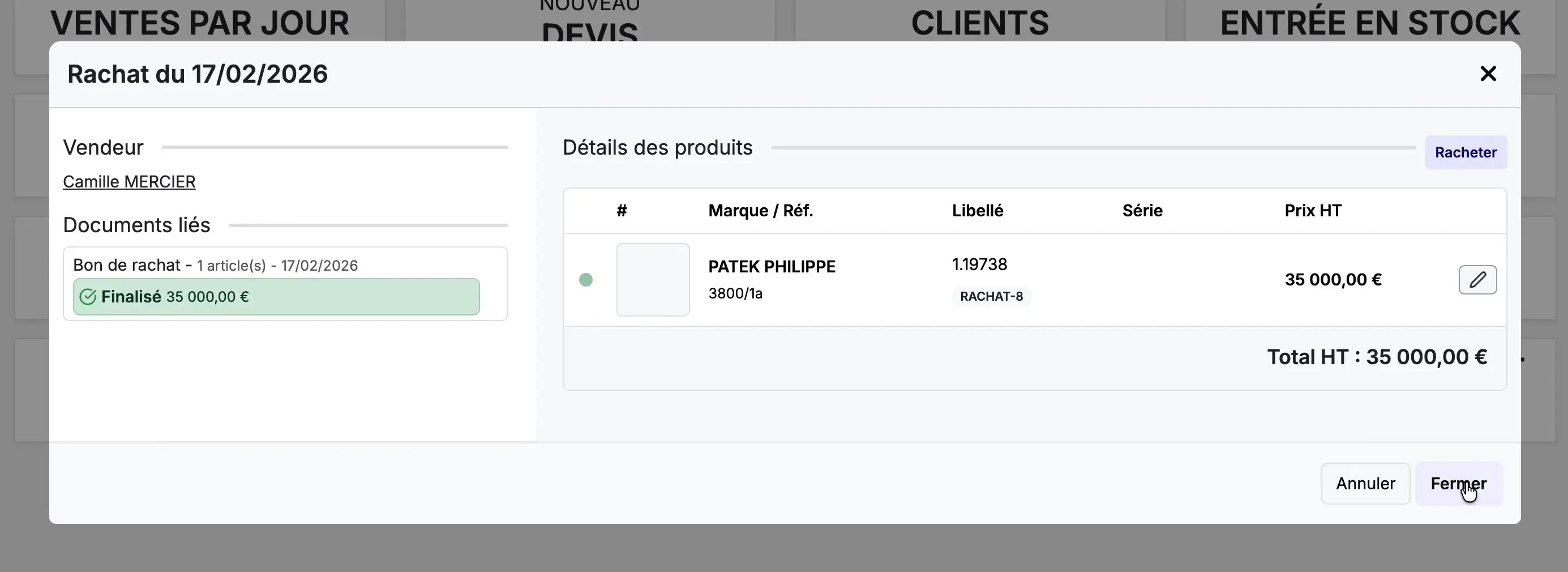
After validation, a summary window will appear. «"Buyout on 17/02/2026"» is displayed. It presents:
Seller : the name of the seller (Camille MERCIER).
Related documents: the automatically generated redemption voucher (1 item, 17/02/2026, PA: €35,000.00 — Remaining: €35,000.00).
Product details: the item bought back with its brand (PATEK PHILIPPE), its reference (3800/1a), its description (1.19738) and its price excluding tax (€35,000.00).
Pay the seller
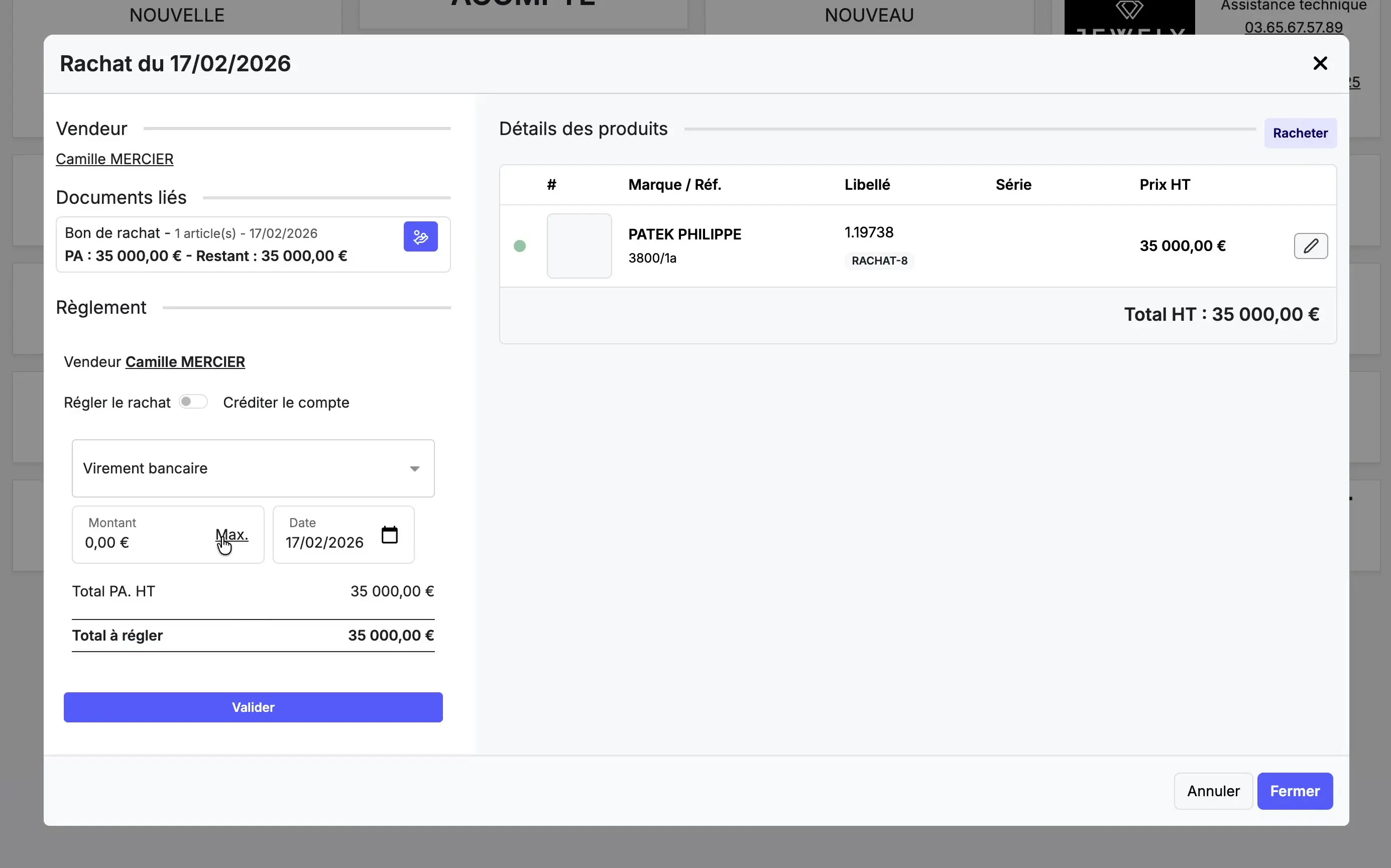
Unlike consignment sales, buying back involves a immediate payment to the seller. The section «"Regulations"» appears in the summary window.
Payment method : Select the payment method. In our example: Bank transfer. Other options are available depending on your configuration.
Amount : click on the button «"Max."» to automatically fill in the total amount to be paid (€35,000.00), or enter a partial amount if you wish to pay in installments.
Click the button «" To validate "» (in green) to confirm the payment.
Confirm completion
Once the payment is validated, the status of the redemption voucher changes to «"Finalized €35,000.00"» (displayed in green in the Related Documents section). This confirms that the purchase is complete and that the seller has been paid.
Click on «" Close "» to exit the summary window.
Find the item in your stock
The purchased item is automatically added to your stock. To verify this, go to STOCK in the main menu.
You will find the item at the top of the list with the tag «" Occasion "» (in yellow). All the information is present: label 1.19738, reference 3800/1a, designation "PATEK PHILIPPE NAUTILUS STAHL Watches", date 17/02/2026 and retail price including VAT of 53 000,00 €.
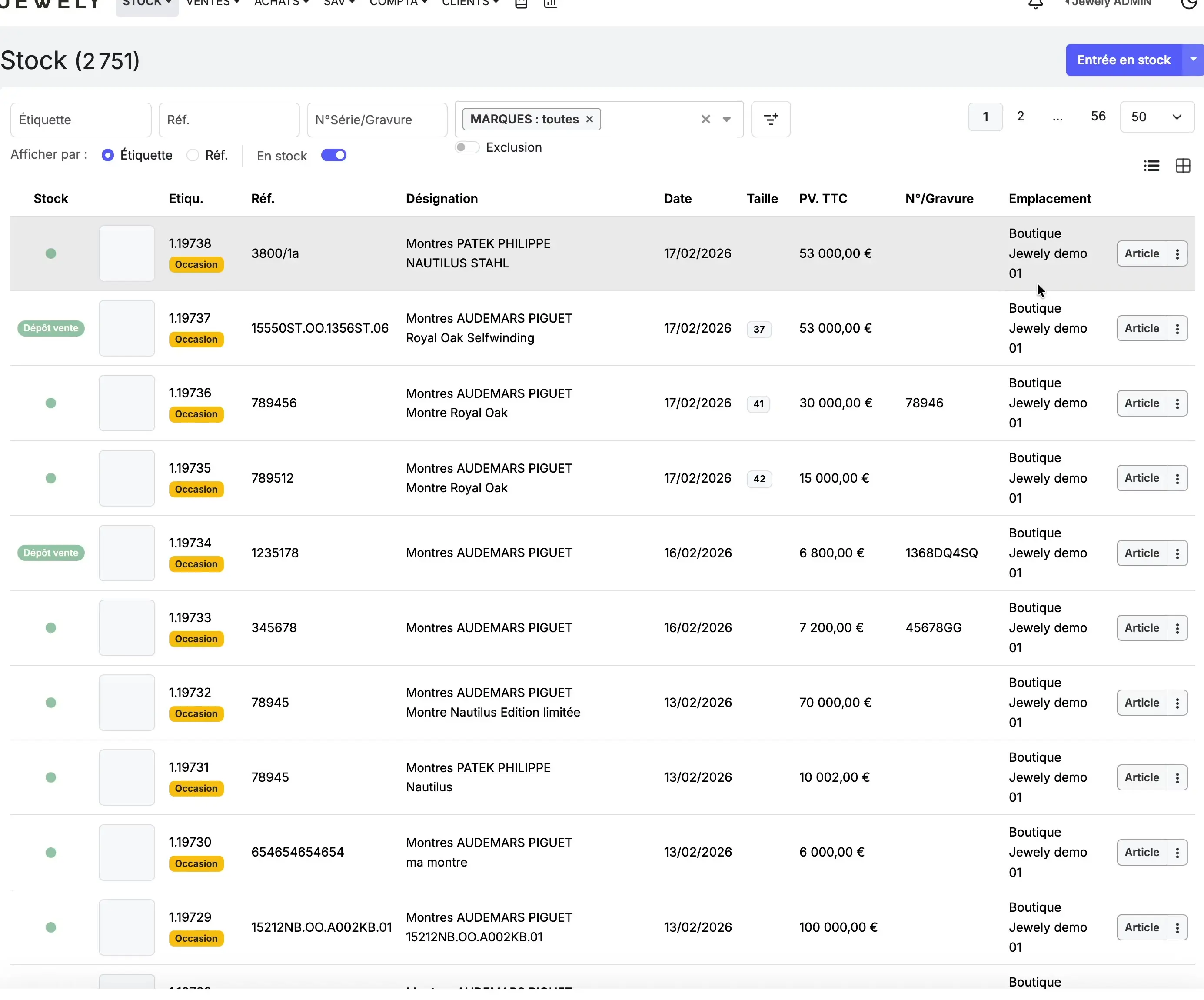
The Patek Philippe Nautilus Stahl watch is now in your inventory, ready to be offered for sale at €53,000.00 (including VAT). The seller, Camille Mercier, was paid €35,000.00 via bank transfer. You can view this purchase at any time in the menu. PURCHASES, where it appears with the labels "Used" and "Buyback".
03 65 67 57 89